Create your student portal login
Home / Create your student portal login
Need help with creating your account?
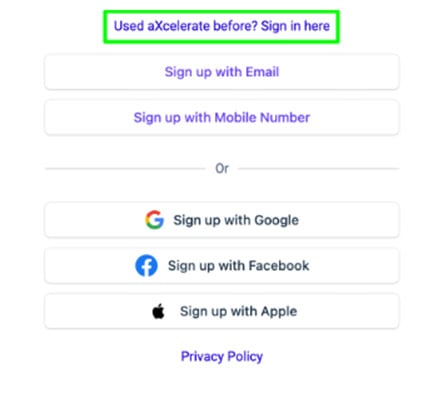
You need to create your own aXcelerate Login by using your email or mobile as your Username and creating your own password, each mobile and email can only be used for 1 user.
Here is a video explaining the process.
Already have an aXcelerate Global Account?
You might already have an aXcelerate account with another training organisation. That’s okay — you can connect more than one RTO to the same login.
If you try to create an account using your email or mobile number and see a message saying an account already exists, just sign in instead using your existing password. This will link Asset College to your current aXcelerate login, which is important so you can access your learner portal with us.
If you don’t remember your password, click “Forgot Password” to reset it. Once your password has been updated, return to the ‘Create your aXcelerate account’ link in your welcome email and then sign in with your existing login details.
After you’ve signed in, you’ll be able to switch between different RTO accounts anytime. Just click your profile menu in the top-right corner of your learner portal.
If you use my.asset.edu.au, you’ll go straight to the Asset College portal.